Scripts built to be watched
A hook in the first ten words, open loops, a re-hook every few seconds and a twist saved for the last quarter. The script is linted and reviewed before a single frame is made.
CUTNEMA is an AI video studio that lives on your desktop. It researches, writes, voices, animates and edits short-form videos from a single idea — and edits the footage you shoot yourself.
Desktop app for Windows 10 & 11 · Exports for TikTok, Reels and Shorts
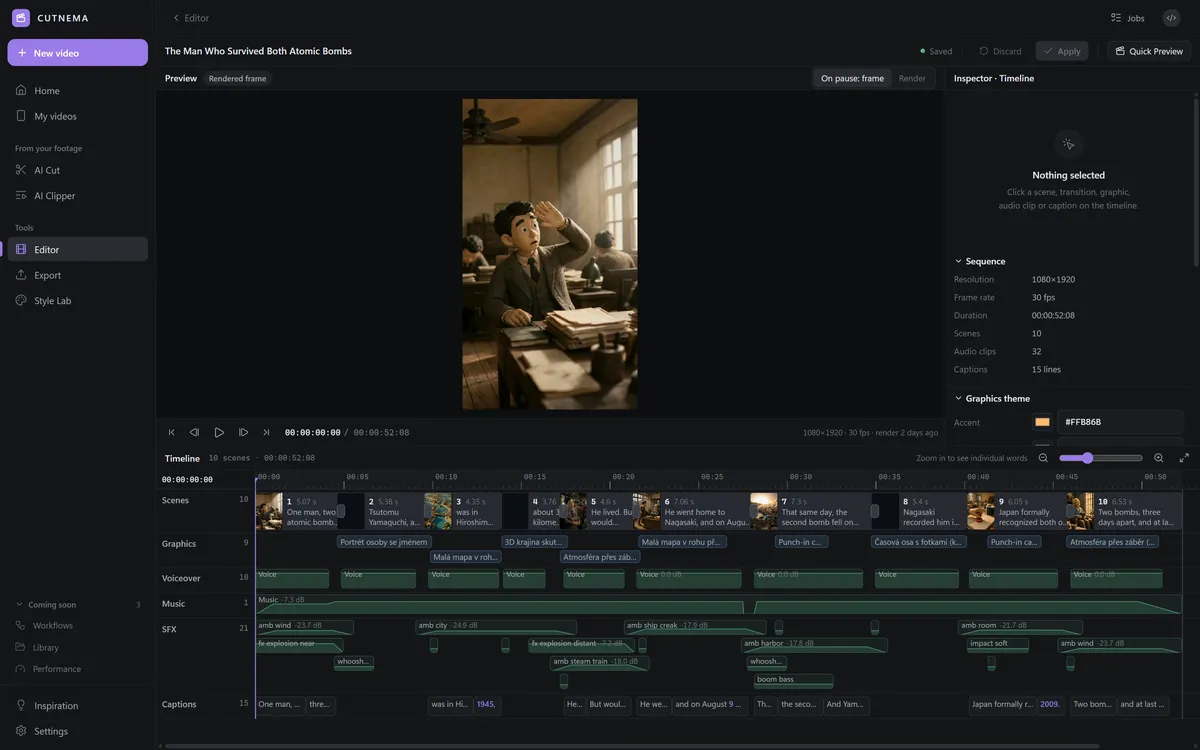
Whichever way you start, you end up in the same editor with the same timeline — so the AI's first cut is never the last word.
A video from nothing
Type a topic. CUTNEMA researches it, writes a script built to hold attention, records the voiceover, finds and generates visuals, designs motion graphics, mixes sound and renders the video.
An edit from your footage
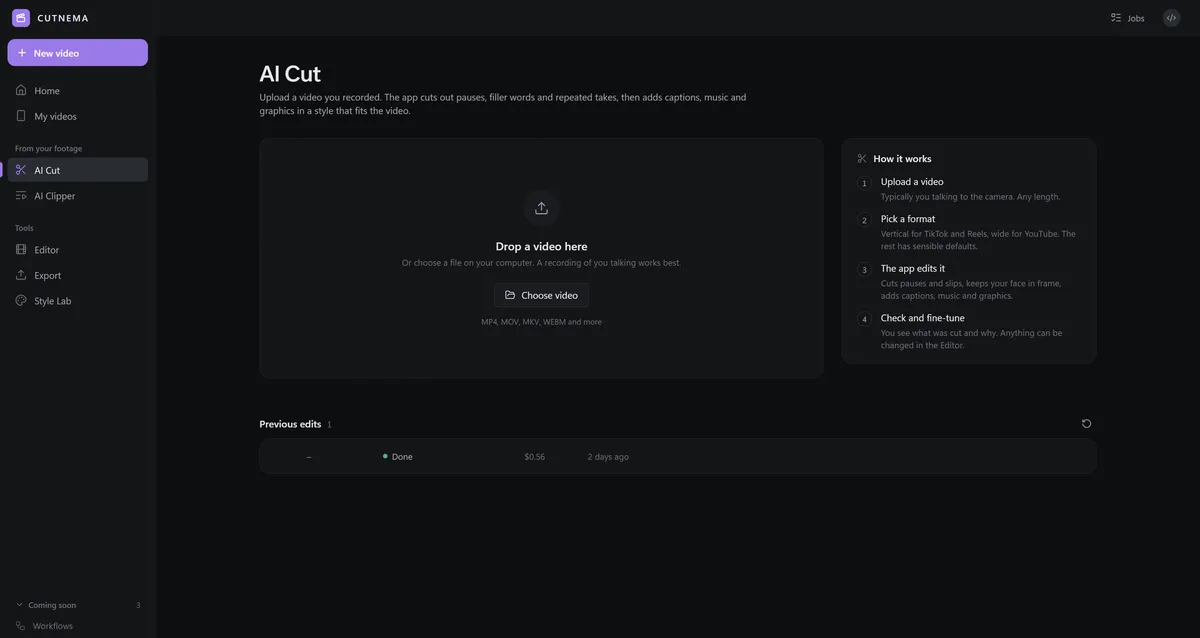
Drop in a video you recorded. Pauses, filler and repeated takes disappear; captions, zooms, music and graphics appear.
How it worksClips from a long recording
Give it a podcast, stream or lecture. It finds the strongest moments, scores them and turns the ones you pick into finished clips.
How it worksNot a template with your text pasted in. CUTNEMA runs a full production — the same nine stages a small studio would — and shows you every one of them, so you can step in wherever you like.
Searches the web for the real story and keeps the sources. Facts come from what it found, not from what sounds plausible.
Hook, context, build-up, twist, payoff. Written to a target length and paced for retention — with several hooks tried before one is chosen.
Every line becomes a scene: what you see, how the camera moves, which graphic appears on which spoken word.
Licensed stock, archive film, maps, portraits and AI-generated shots — each one judged against the scene before it gets in.
Natural narration in your language, timed word by word so captions and graphics land exactly on the beat.
Music that fits the mood, ducked under the voice. Ambience and sound effects tied to what happens on screen.
Cuts, camera moves, transitions, motion graphics and captions assembled on a real multi-track timeline.
Rendered on your own machine in full 1080×1920, with hardware encoding when your PC supports it.
Sixteen automatic checks — loudness, black frames, caption timing, readability — and fixes for what it finds.
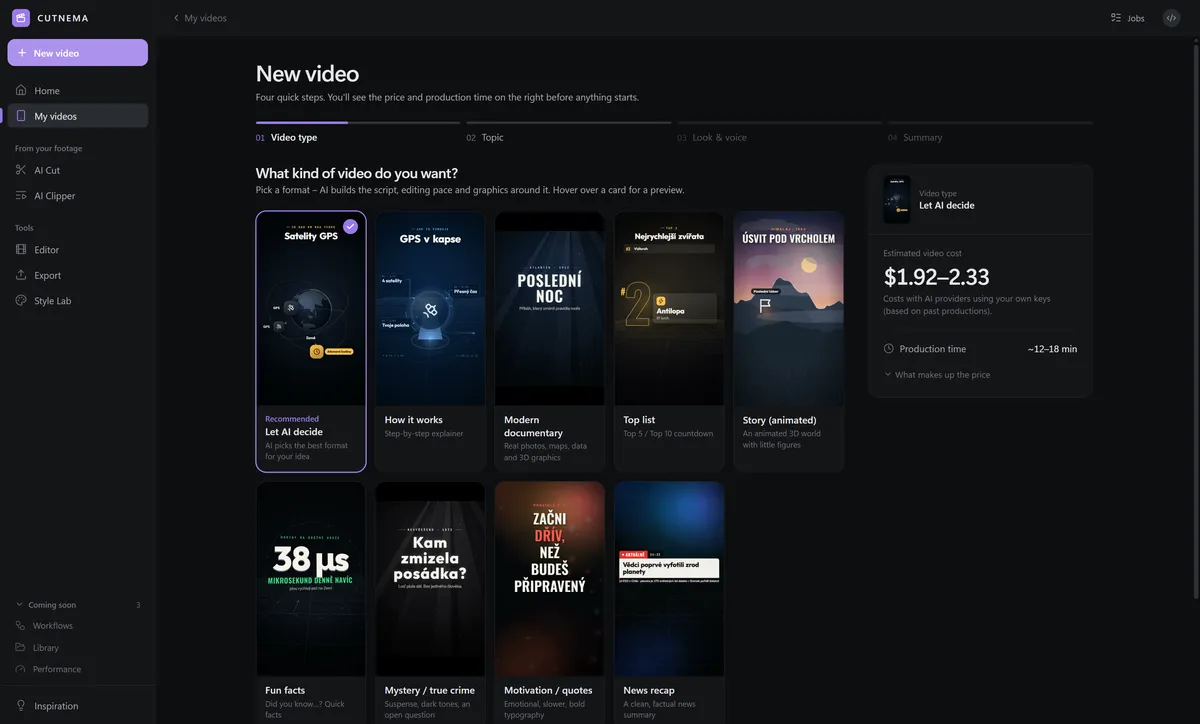
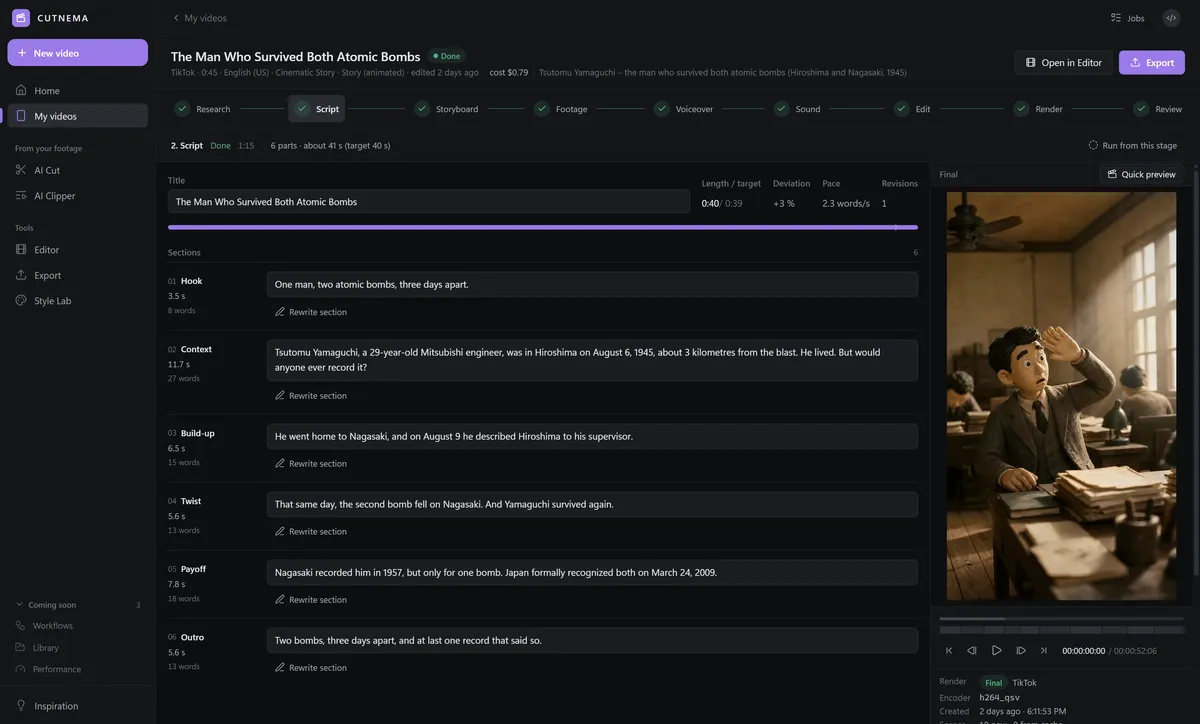
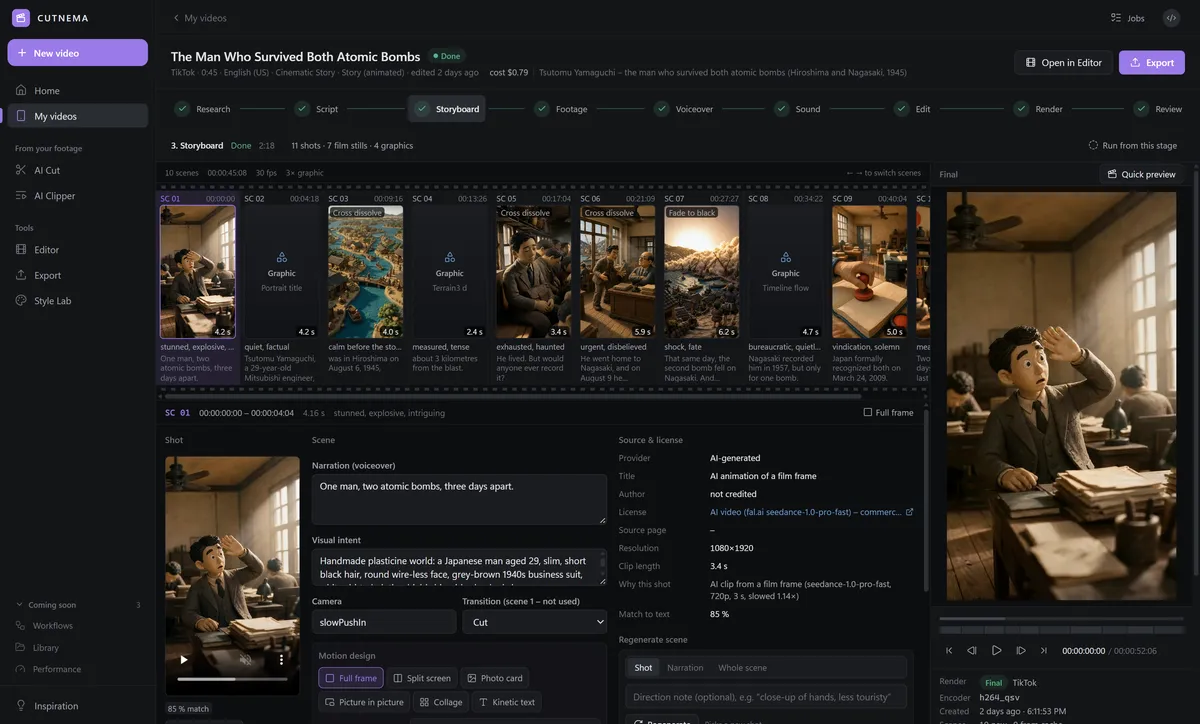
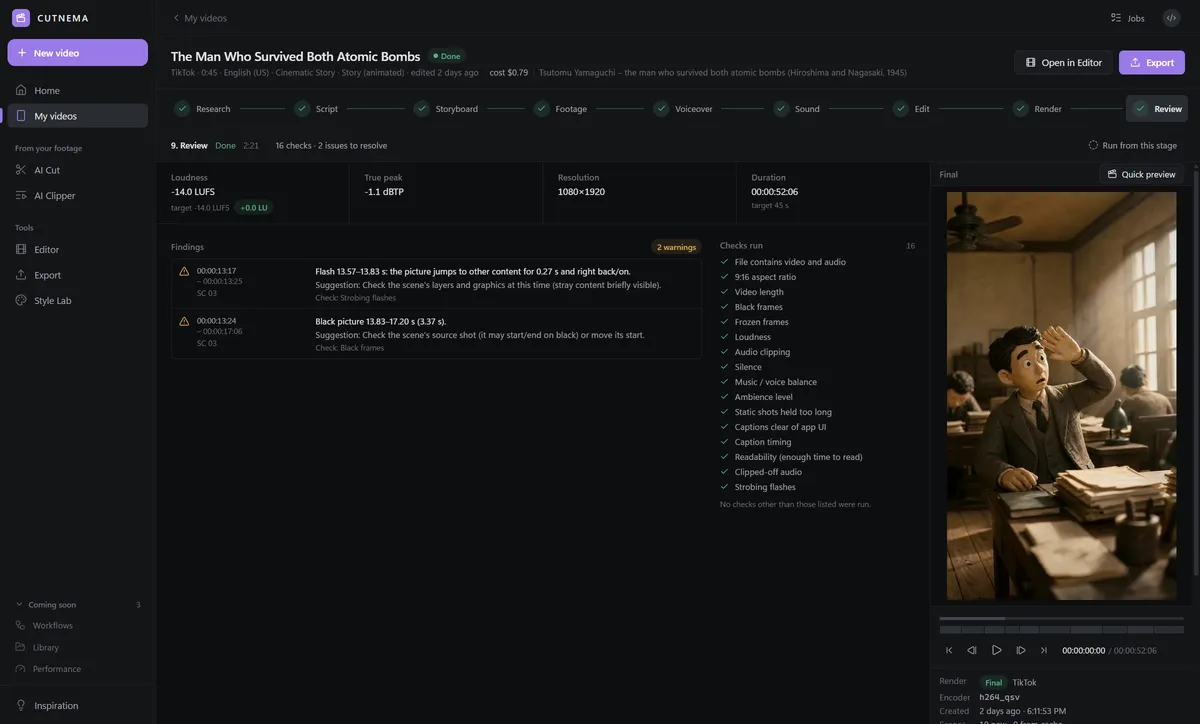
A hook in the first ten words, open loops, a re-hook every few seconds and a twist saved for the last quarter. The script is linted and reviewed before a single frame is made.
Animated maps with real terrain, classified documents, timelines, counters, 2.5D camera moves through still images and illustrated scenes — cued to the exact word being spoken.
Thirteen visual languages — cinema, blueprint, archive, paper, comic, clay and more — and nine video formats. The studio remembers what it used last and picks something else.
Before production starts you get an estimate of what the video will cost in AI credit and how long it will take. A typical 45-second video lands around $1–2.
Rewrite one section of the script, swap a shot, pick another voice. Only the stages after your change run again — the rest is reused.
Footage with unclear or non-commercial licences is filtered out, and the attribution list for everything used is generated for you, ready to paste.
Research, script, narration, visuals, graphics, music and edit — all produced by CUTNEMA. Tap a video to hear it.
Upload a video of yourself talking — any length, one take or ten. CUTNEMA listens to what you actually said and cuts it the way an editor would.
Five editing styles to choose from. You see what was cut and why — and everything can be changed in the Editor.
Podcasts, streams, interviews, lectures. AI Clipper reads the whole thing, finds the moments that stand on their own and hands them to AI Cut to be edited.
Illustration of how AI Clipper presents its picks.
Every video — created, cut or clipped — opens in the same editor. Nothing is baked in, nothing is a black box.
Scenes, graphics, voiceover, music, sound effects and captions on separate tracks. Select anything and change it in the inspector.
Describe the change in plain words. CUTNEMA turns it into precise, validated edits on the timeline.
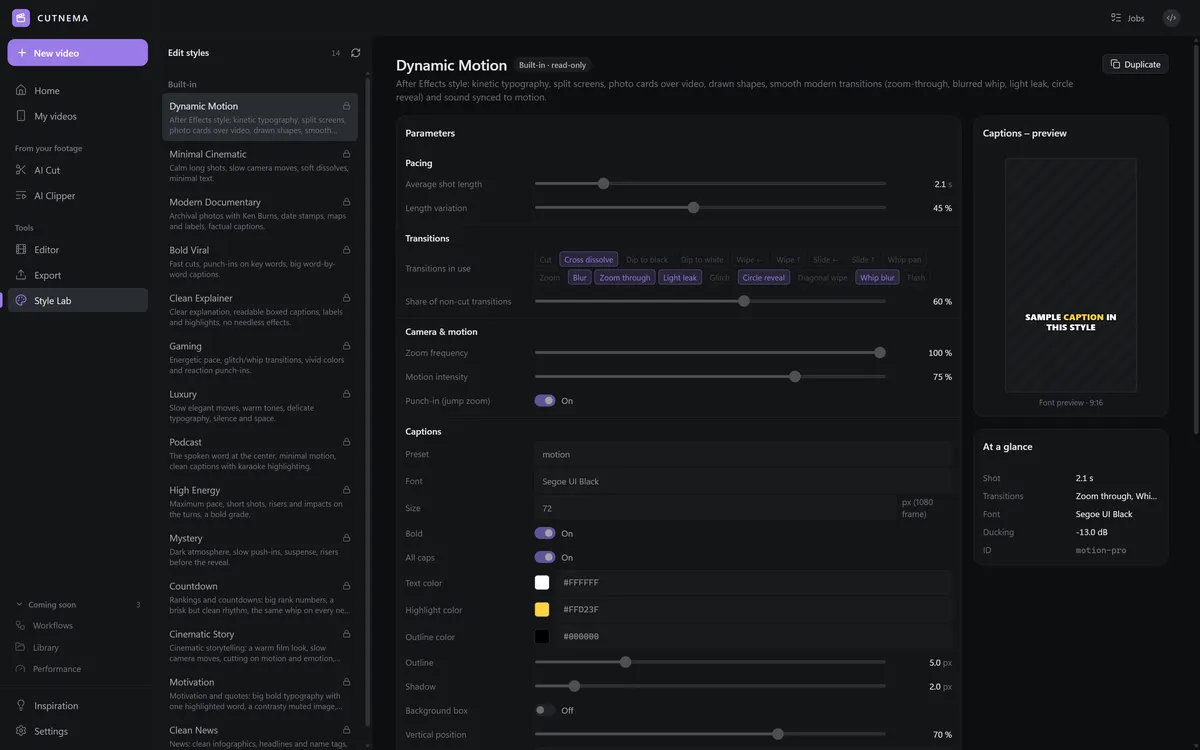
Fourteen built-in editing styles — pacing, transitions, camera, captions. Duplicate one and make it yours.
One click per platform. Only scenes that changed are rendered again.
A native desktop app. Rendering happens on your machine, with hardware encoding where available.
Projects, footage and finished videos live on your disk. Only what an AI step needs is sent to the provider that runs it.
Every production, with its script, assets, renders and cost, in one place — ready to reopen and revise.
You pay us for the app. You pay the AI providers for what your videos actually use — at their official prices, with nothing added on top.
Billed $288 once a year
Licences go on sale at launch. People on the list hear first.
Pay as you go · loaded inside the app
Writing, narration and generated visuals run on models from the leading AI providers. You top up a dollar balance in CUTNEMA and each video draws from it at the providers' official rates. We don't add a cent.
Because CUTNEMA isn't finished — and isn't meant to be. We ship new features every week, and AI models change faster than any one-off purchase could keep up with. The licence pays for that work; your credit pays only for the AI you use.
We're finishing the installer. Leave your email and you'll get the download link the day it opens — before anyone else.
A desktop application for making short-form video with AI. It has three main tools: Create makes a finished video from a topic, AI Cut edits footage you recorded, and AI Clipper turns long recordings into clips. All three share one editor.
No. You can go from an idea to an exported video without touching the timeline. If you do know how to edit, the timeline, inspector and Style Lab are there for full control.
A typical 45-second video made from an idea uses roughly $1–2 of AI credit, depending on length and how many visuals are generated. The app shows an estimate before production starts. Editing your own footage with AI Cut usually costs far less.
They pay for different things. The licence pays for the software and its weekly updates. Credit pays the AI providers whose models write, narrate and generate visuals — at their official prices, with no markup from us. That way heavy users don't subsidise light ones, and nobody pays for AI they didn't use.
Yes. The videos you make are yours, with no watermark. CUTNEMA filters out stock material with non-commercial or unclear licences and generates an attribution list for anything that requires credit.
Your projects, footage and renders are stored on your own disk, and rendering happens locally. AI steps send only what they need — a script to narrate, a prompt for an image, audio to transcribe — to the provider that runs that step.
The app is available in English and Czech. Videos can be scripted and narrated in English and Czech today, with more languages on the way.
Soon. Join the early access list and you'll get the download link as soon as the Windows installer is ready.